Local-first. Your data never leaves your machine.

Know where your
money goes

Drop in your bank statement PDFs. AI pulls out every transaction, sorts it, and shows you what's actually happening with your money — all on your machine, nothing uploaded anywhere.
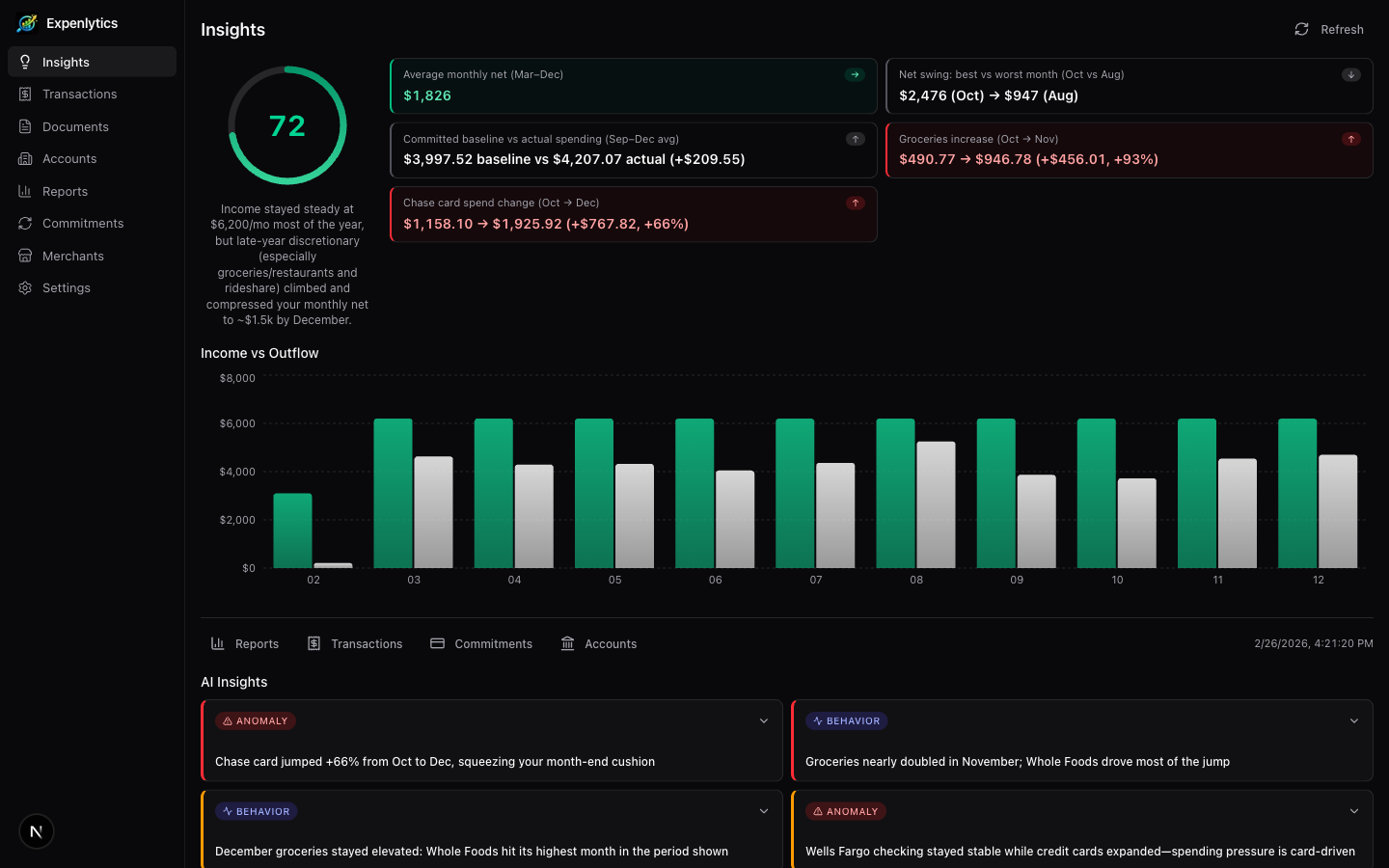
Expenlytics AI-powered insights dashboard showing health score, spending metrics, income vs outflow chart, and behavioral pattern insights

Features

Everything you need to understand your spending

PDF Import

Drag in a bank statement PDF. AI reads it, pulls out every transaction, and categorizes them automatically. Even handles scanned documents and catches duplicates if you upload overlapping months.

AI Insights

Get a plain-English breakdown of your spending habits. AI spots the stuff you'd miss — subscriptions creeping up, unusual spikes, months where you spent way more than normal. Plus a health score so you know where you stand.

Merchant Cleanup

Bank statements are messy — "WHOLEFDS MKT 10042" and "Whole Foods" are the same place. AI suggests merges so your data actually makes sense. See exactly how much you spend at each merchant.

Visual Reports

See your spending as charts, not spreadsheets. Where your money goes each month, how categories compare, your savings rate over time, and a flow diagram that maps every dollar from income to category.

Subscription Tracking

Automatically finds your recurring charges — Netflix, gym, insurance, all of it. Shows you what you're paying monthly and yearly so you can spot the ones you forgot about.

Try It in 30 Seconds

One click loads 500 realistic sample transactions so you can explore everything without uploading anything or setting up an API key. Works with both Claude and GPT when you're ready.

Multi-Account

Upload statements from different banks and cards — AI figures out which account each one belongs to. See a coverage map so you know if any months are missing.

Data Cleanup

Automatically catches duplicates, miscategorized transactions, and anything that looks off. Review and fix them in bulk so your numbers are actually trustworthy.

Insights

Your money, explained in plain English

A health score tells you how you're doing at a glance. Below that, AI writes out what it found — spending spikes, habit changes, categories growing faster than they should. No jargon, just clear observations you can act on.

AI insights dashboard showing animated health score gauge, spending metrics, income vs outflow chart, and dismissable behavioral insight cards
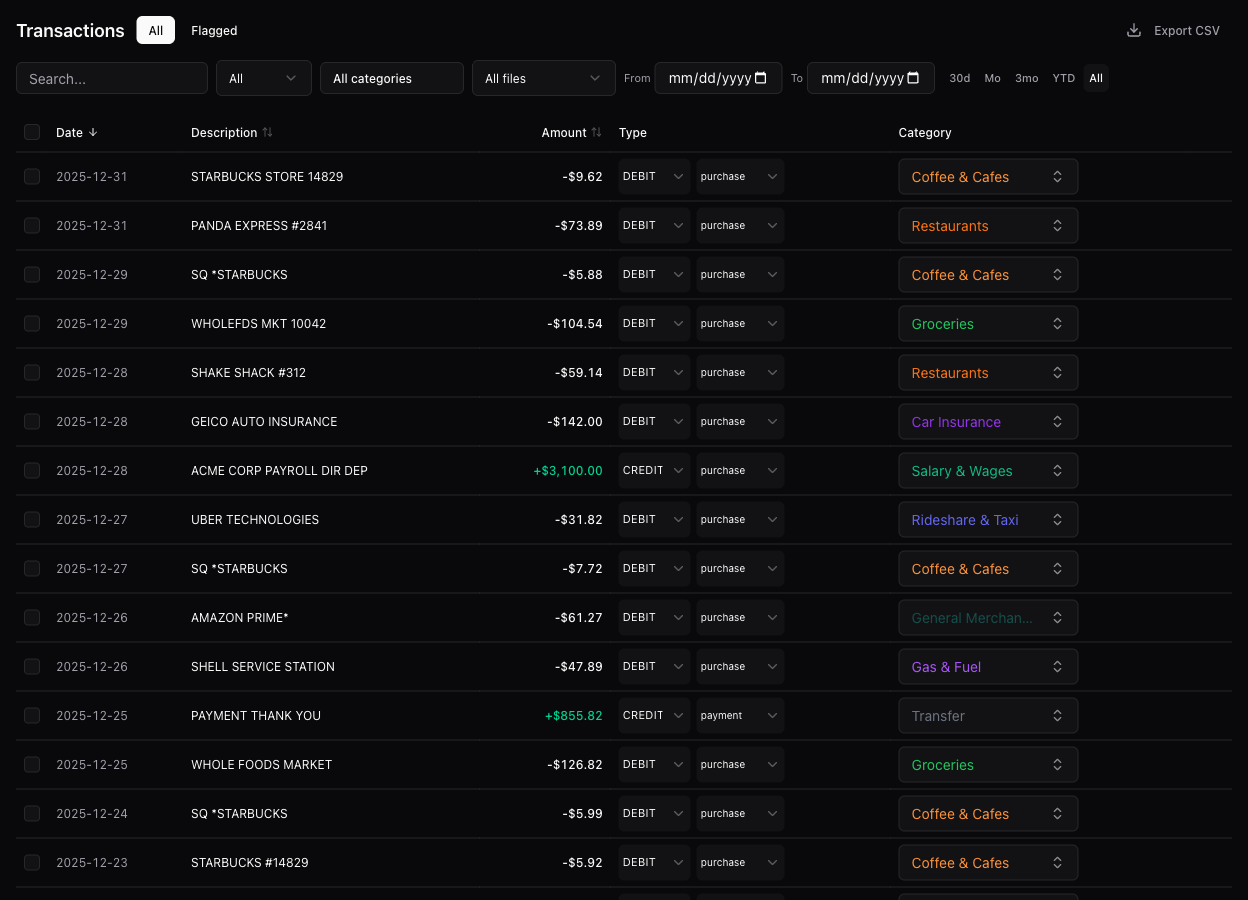
Transactions page with filters, inline category editing, sortable columns, and bulk actions

Transaction Management

Every transaction, searchable and editable

Filter, sort, and fix anything. Recategorize transactions inline, clean up flagged items in bulk, and export to CSV when you need the raw data. It's the spreadsheet view you wish your bank gave you.

Reports

The big picture, at a glance

How much you spent, how much you saved, where it all went. Monthly trends, category breakdowns, and month-over-month comparisons so you can see if things are getting better or worse.

Reports dashboard with summary cards, spending over time chart, category pie chart, and Sankey diagram
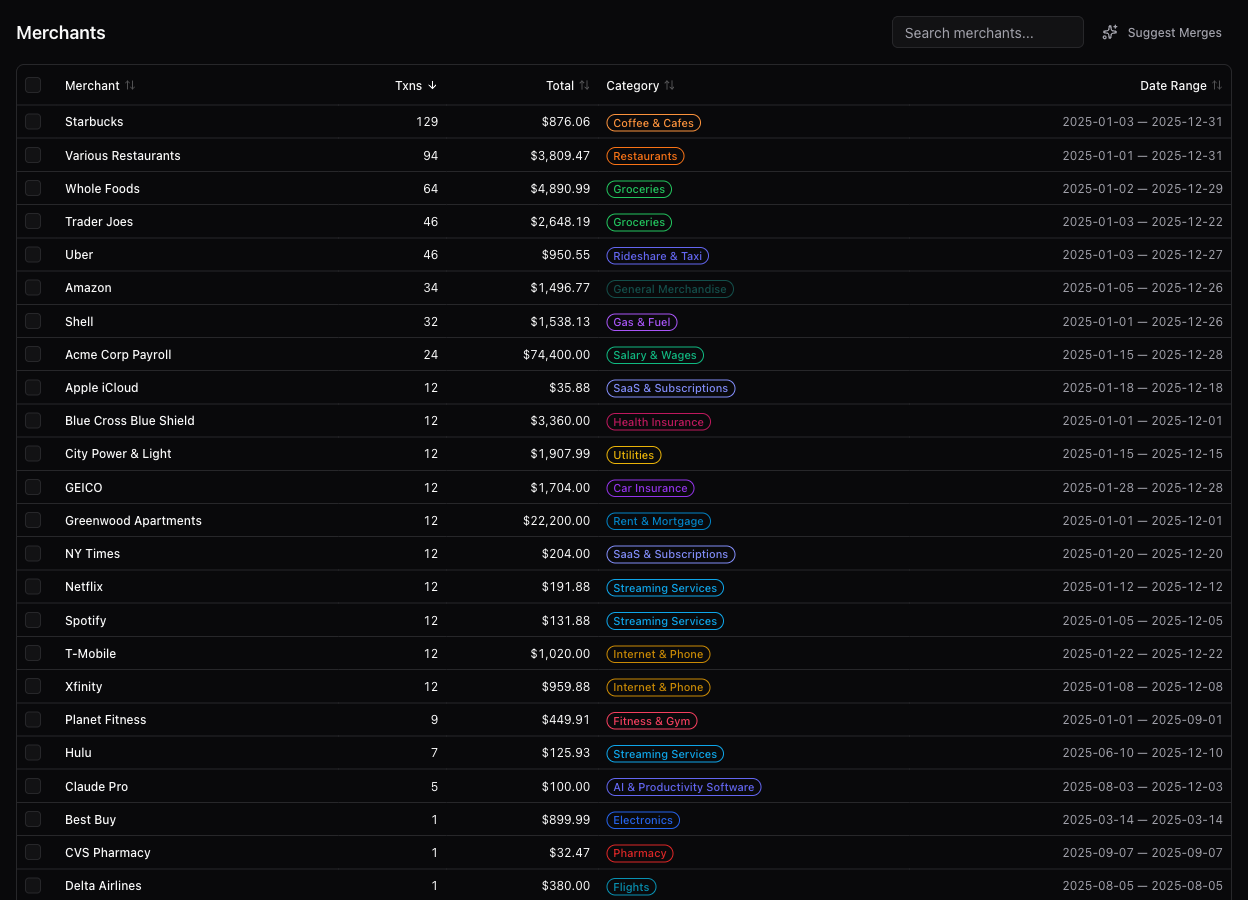
Merchants page showing all merchants with transaction counts, totals, categories, and AI merge suggestions

Merchants

Know who you're paying

See every merchant ranked by how much you spend there. AI cleans up the messy names banks use so duplicates get merged. Drill into any merchant to see individual transactions.

Money Flow

Follow the money

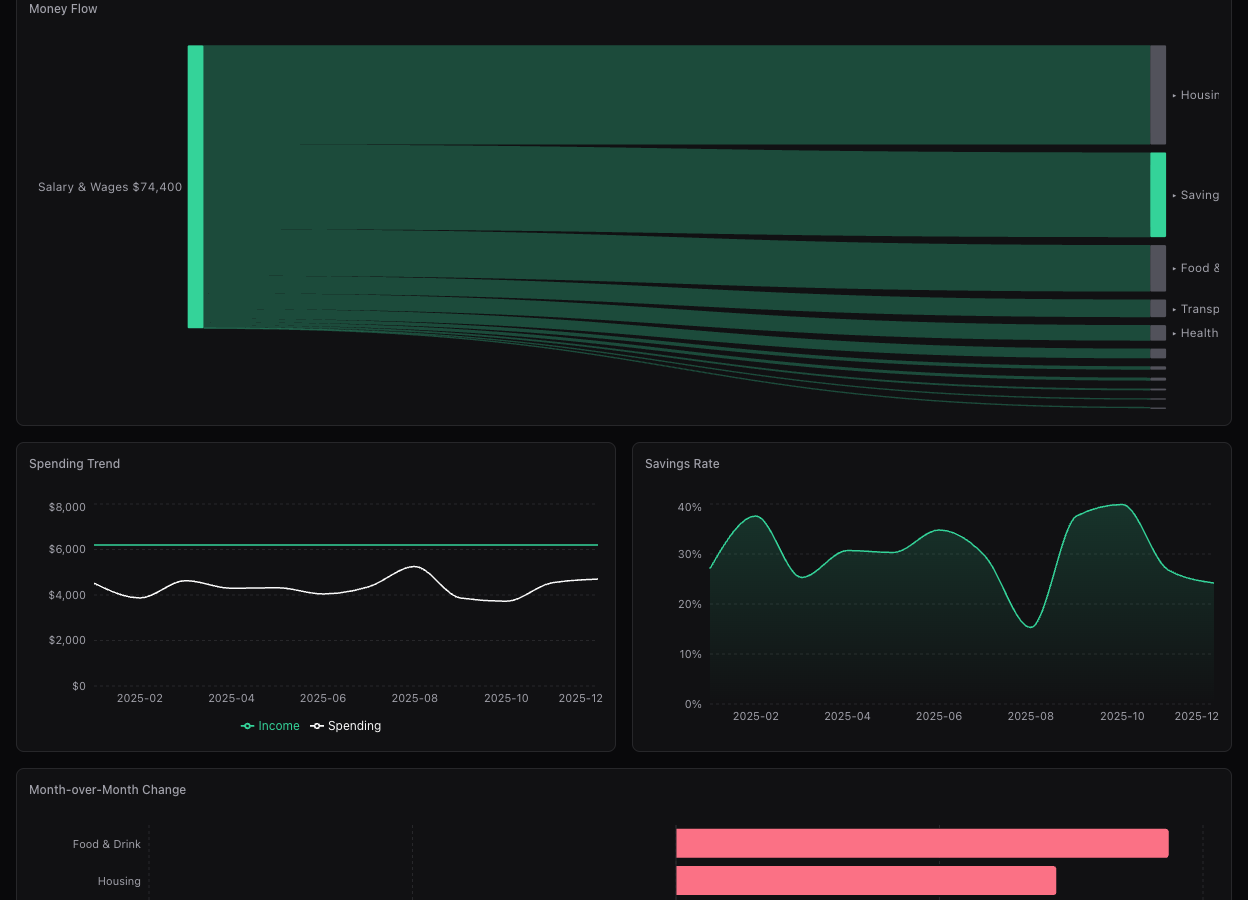
A flow diagram that maps your income to every category it ends up in. You can literally trace each dollar from paycheck to groceries, rent, subscriptions — and see what's left as savings.

Money Flow Sankey diagram, Spending Trend with savings rate chart, and month-over-month comparison
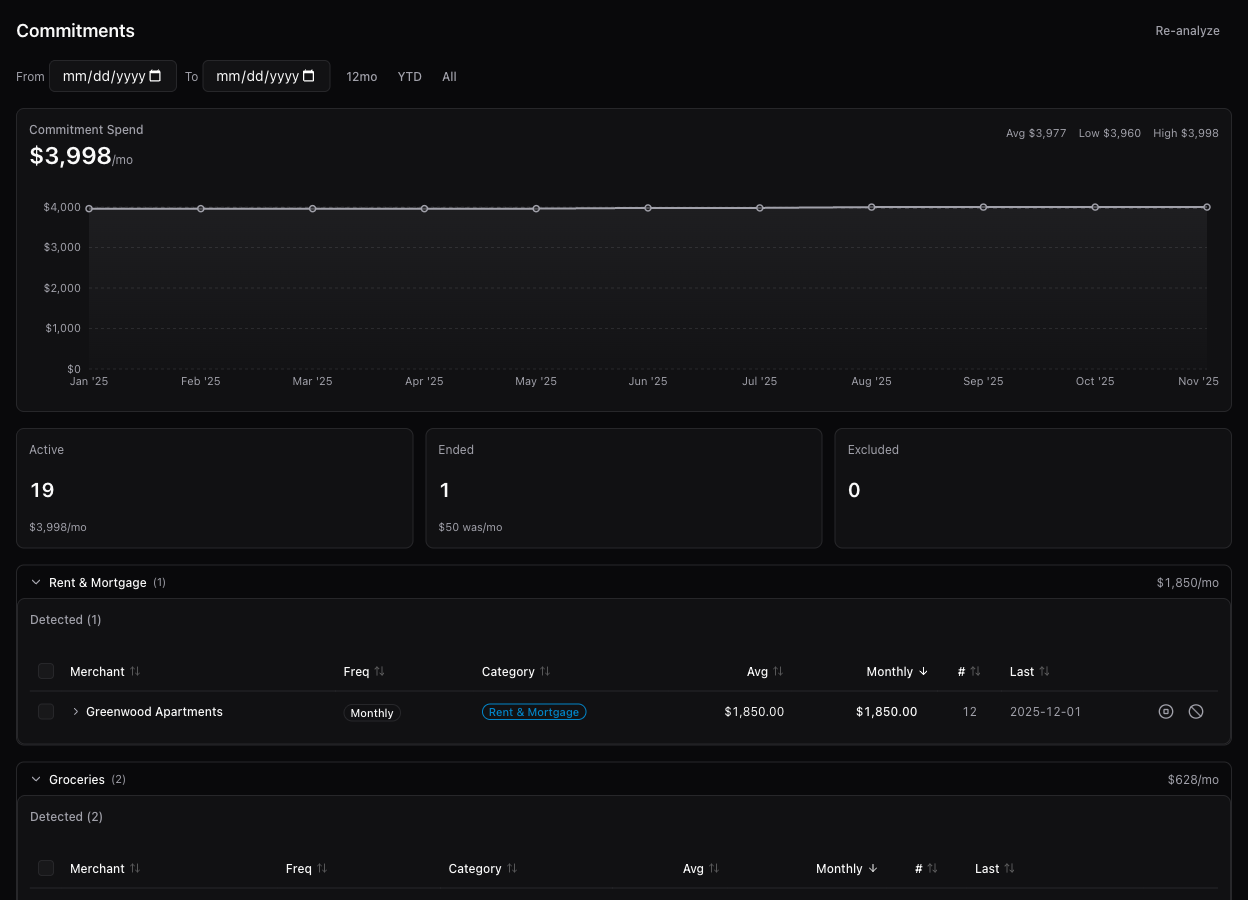
Commitments page showing detected recurring charges with cost trend chart, lifecycle management, and category grouping

Commitments

Find every subscription

Automatically detects recurring charges and shows you the total damage — monthly and yearly. Great for finding that streaming service you signed up for once and forgot about.

Getting Started

Up and running in minutes

1

Clone and install

$ git clone https://github.com/aromasca/expenlytics.git
$ cd expenlytics && npm install
2

Add your API key (optional for demo mode)

$ echo 'ANTHROPIC_API_KEY=sk-ant-...' > .env.local
# or
$ echo 'OPENAI_API_KEY=sk-...' > .env.local

Supports both Anthropic and OpenAI. Choose per task in Settings. Or skip this step and use demo data to explore first.

3

Start the dev server

$ npm run dev

Open localhost:3000. Load demo data from Settings to explore instantly, or upload your first PDF statement.

Built With

Modern, minimal stack

Next.js 16

App Router

React 19

Server & Client

TypeScript

Strict mode

Tailwind v4

Utility CSS

SQLite

better-sqlite3

Claude & GPT

Multi-provider AI

Recharts

Charts

d3-sankey

Flow diagrams

Start tracking your spending

Open source, local-first, AI-powered. Load demo data to explore instantly — no API key required.

View on GitHub